


OCR PDFの方法
数ステップで簡単にPDFを編集。
1
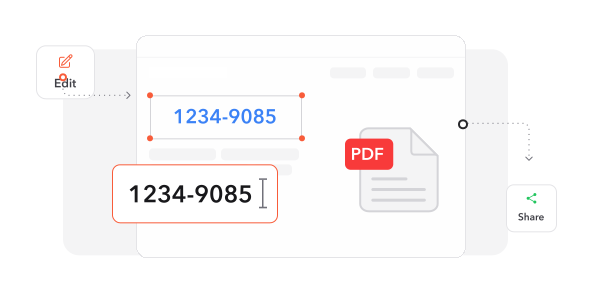
PDFをアップロード. +ボタンをクリックするか、PDFファイルをアップロードエリアにドラッグ&ドロップします。
2
フォーマットを選択. フォーマットを選択すると、ファイルが検索可能で編集可能なドキュメントに変換されます。
3
ファイルをダウンロード. 新しいドキュメントをデバイスにダウンロードします。
あなたのような人々に信頼されています
仲間のユーザーがProfi PDFでOCR PDFする方法をご覧ください。

12月12日
使いやすく効果的
インターフェースはシンプルで、OCRは印象的です。スキャンしたファイルを迅速に精度高く検索可能なPDFに変換しました。


Taku
12月9日
素晴らしいサポートチーム!
サービスを試してみたところ、すべてのPDFファイルで問題なく動作しました。カスタマーサポートは迅速で丁寧で、問題を効率的に解決してくれました。強くお勧めします!

恵
12月11日
優れた品質とサービス
素晴らしいサービスとサポートに感謝しています!OCRは正確にドキュメントを変換し、簡単に編集可能にしました。

伊藤 浩二
2392 人が今日PDFファイルを生成しました
@rya**
8 分前
@jas****
4 分前
@ash***
16 分前
信頼され、認定された 業界のリーダー





なぜOCR PDFに当ツールを選ぶのか
柔軟なエクスポートオプション
スキャンしたドキュメントを検索可能なPDF、編集可能なWordファイル、またはプレーンテキストドキュメントなど、ワークフローの要件に応じて複数のフォーマットに変換します。
超高速テキスト抽出
高度な光学文字認識が瞬時にドキュメントを処理し、静的な画像を動的で編集可能なコンテンツに驚異的な速度で変換します。
強化されたドキュメント検索
ドキュメント内で強力な検索機能を解放し、キーワードの即時検索とコンテンツナビゲーションを可能にして生産性を向上させます。
シームレスなツールエコシステム
OCR機能をProfi PDFの完全なPDFスイートと組み合わせて、統合プラットフォーム内でドキュメントを処理、編集、管理します。
高度な認識エンジン
最先端の文字認識技術が複雑なレイアウト、複数のフォント、多様なドキュメントタイプを卓越した精度で処理します。
保護されたデータ処理
業界標準の暗号化が、OCR変換プロセス全体を通じて機密ドキュメントを最大限のセキュリティで保護します。



よくある質問
当ツールを最大限に活用するための質問に素早く答えます。