


如何線上合併 PDF
只需幾個步驟,即可快速輕鬆編輯 PDF。
1
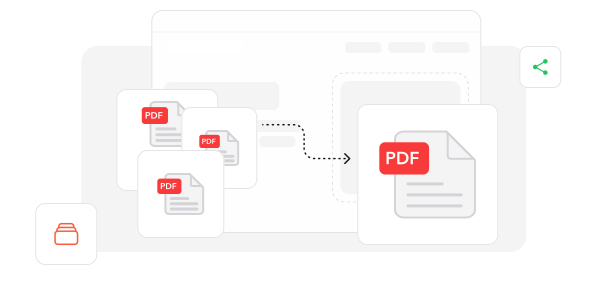
新增文件. 將多個 PDF 檔案和圖片匯入我們的文件合併工作區。
2
整理並合併. 依需求排列檔案順序,並開始合併程序。
3
儲存整合文件. 取得已合併的檔案,可立即分享或儲存。
深受像您一樣的使用者信賴
看看其他使用者如何使用 Profi PDF 合併 PDF。

12月13日
快速又實惠
我的檔案不到五分鐘就合併完成,速度令人印象深刻。價格也確實很吸引人!


曾怡君
12月10日
順暢的合併體驗
很快就有效率地合併了我的商務文件。流程簡單,輸出結果也很準確。

小婷
12月12日
必備且直覺
合併檔案很直觀,費用也很經濟。是輕鬆合併 PDF 的理想選擇。

婷婷
2616 人今天已產生 PDF 檔案
@tom**
14 分鐘前
@vik***
17 分鐘前
@max****
5 分鐘前
受信任並由以下保障 業界專家





為何選擇我們的工具來合併 PDF
靈活的文件排序
透過簡單的拖放功能重新排列 PDF 順序,打造符合您特定需求的完美文件流程。
瀏覽器式解決方案
無需下載應用程式,即可透過任何網頁瀏覽器即時合併文件,在桌面與行動裝置上都能順暢使用。
通用格式相容性
成功合併不同尺寸與版面的文件,將多樣來源素材整合成單一檔案,且不產生格式衝突。
完整保留文件品質
在整個合併過程中保留所有原始元素,包括文字銳利度、影像清晰度與頁面格式。
流暢的使用體驗
透過我們簡潔的介面輕鬆完成合併流程,適合各種技能程度與技術背景的使用者。
高效率檔案整理
將分散的文件轉換為整合檔案,降低儲存複雜度,同時提升文件的存取與管理效率。



常見問題
快速找到關於充分運用我們工具的問題解答。