


如何線上簽署 PDF
只需幾個步驟,即可快速輕鬆編輯 PDF。
1
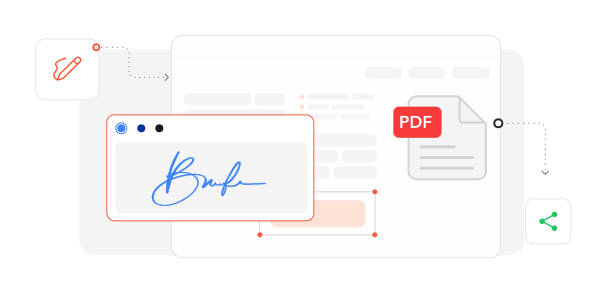
匯入文件. 將您的 PDF 載入我們安全的數位簽署環境。
2
建立簽名. 透過手寫、輸入或匯入圖片產生您的電子簽名,然後將其放置在適當位置。
3
完成已簽署文件. 完成簽署流程並儲存您已驗證的文件。
深受像您一樣的使用者信賴
看看其他使用者如何使用 Profi PDF 簽署 PDF。

12月3日
讓合約簽署變得輕鬆
可以直接在文件上放置我的簽名,操作非常簡單,省去了列印和掃描的麻煩。


曾宜蓁
11月28日
處理數位表單很有效率
非常適合以數位方式填寫和簽署表單,大幅減少處理紙本文件的時間。

黃佳穎
12月1日
節省時間,非常實用
這款 PDF 簽署工具徹底改變了工作方式,不再需要列印、簽名再掃描文件。

吳筱婷
2580 人今天已產生 PDF 檔案
@sam***
17 分鐘前
@zoe***
17 分鐘前
@ash***
8 分鐘前
受信任並由以下保障 業界專家





為何選擇我們的工具來簽署 PDF
永續數位工作流程
透過環保的電子文件簽署,減少紙張浪費與列印成本,同時有利於您的預算與地球環境。
多樣化簽名建立方式
使用多種方式建立您的電子簽名:以觸控裝置手寫、使用優雅字型輸入,或匯入現有簽名圖片。
即時瀏覽器存取
透過任何網頁瀏覽器即可立即完成文件簽署,無需安裝,釋放裝置儲存空間並保持流程順暢。
企業級防護
先進的加密協定與安全資料傳輸,會在整個簽署過程中保護您的機密文件。
全球法律認可
使用 Profi PDF 建立的電子簽名符合國際法律標準,可在不同司法管轄區提供真實的文件驗證。
一站式文件中心
將簽名放置與完整編輯功能結合,讓您在單一平台上完成文件準備與簽署。



常見問題
快速找到關於充分運用我們工具的問題解答。