Extract Pages From PDF
Pick the pages you need and save them as separate PDFs or images.


14,382 reviews
Drop your files here
or
Size up to 250 MB
Size up to 250 MB
How to Extract PDF Pages Online
Quick and easy PDF editing in a few steps.
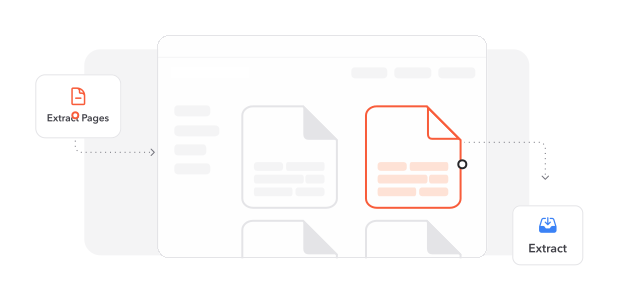
1
Upload Your PDF. Drag and drop your PDF or click to upload it.
2
Choose the Pages. Keep the pages you want and delete the rest.
3
Download Your Files. Click Split and download a ZIP with your pages in the format you choose.
Trusted by People Like You
See how our fellow users Extract PDF Pages with Profi PDF.

Oct 12, 2026
pages wrong
counted the pages wrong once, got 4 and 5 the second time


claire.d
Sep 5, 2026
those two
just those two

vik
Aug 11, 2026
the application
pulled pages 4 and 5 for the application

nina.h
2696 people generated PDF files today
@cam.b****
8 mins ago
@fe1i***
19 mins ago
@_ana**
11 mins ago
Trusted and Secured by Industry Experts



Why choose our tool to Extract PDF Pages
Private and Protected
Your files travel over an encrypted connection while you extract pages.
Saved to Your Account
Extracted pages are saved in your Profi PDF account, so you can find them again anytime.
Nothing to Install
Extract pages right in your browser, without cluttering your device.
Easy Page Picking
Page thumbnails make it simple to spot and select the pages you want.
PDF or Images
Save extracted pages as separate PDFs or high-quality images.
Done in Seconds
Even long documents are split into pages in moments.
Extract PDF Pages documents online
Quick and easy, no software required
Extract PDF Pages Now 4.61,340 reviews
 4.513,920 reviews
 4.64,550 reviews
Frequently Asked Questions
Find quick answers to questions about getting the most out of our tool.